Construction Inventory Software
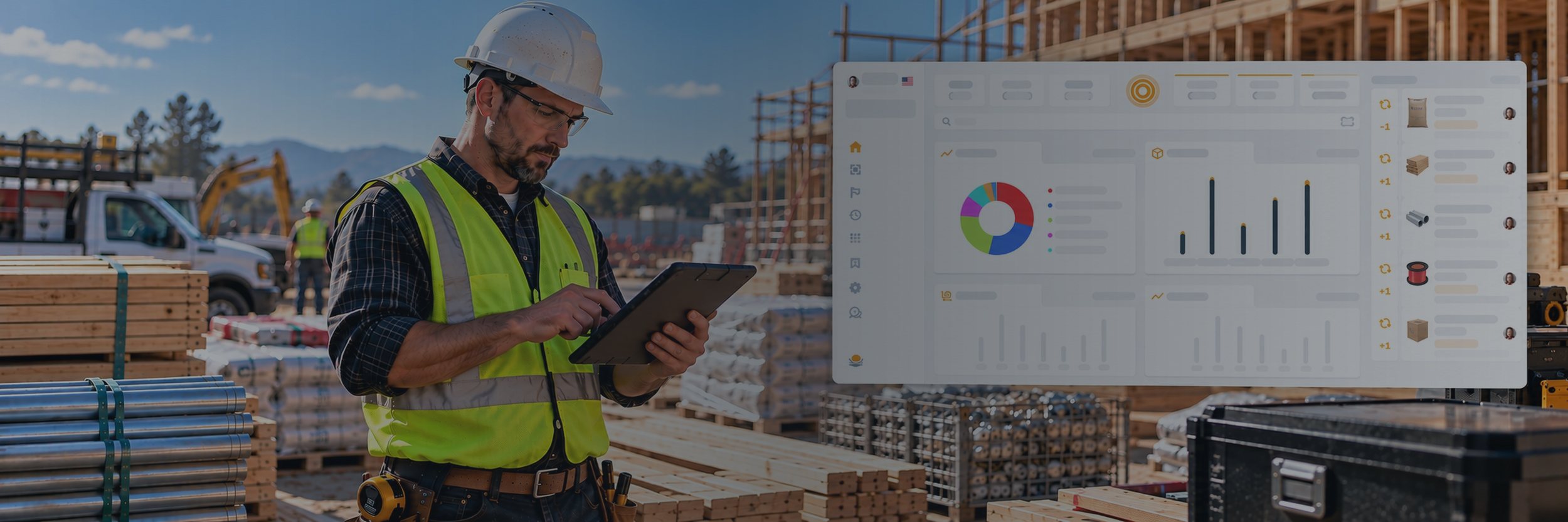
Nest Egg is construction inventory management software for contractors. Track tools, equipment, and materials across the shop, the yard, every truck, and every job site. Scan a tool out to a crew, scan it back in, and know what’s missing before it becomes a replacement purchase.
- ✓ QR and barcode labels for every tool
- ✓ Check-out to crews and job sites
- ✓ Low-stock alerts for materials
Start your 2-week free trial See plans and pricing
No charge during the trial · Browser-only free plan also available
10,000+
teams
142
countries
303
software releases
32
languages
Where tools go missing
When you run several jobs at once, the tool list in the office is out of date by the time the trucks leave the yard.
Tools walk off
A laser level gets left at one site and nobody knows who had it last, so it gets replaced.
Crews run short
Nobody noticed the anchors were low, so half a day of labor goes to a run to the supply house.
Trucks are a guess
Is the compressor in the yard, on Truck 3, or still at last week’s job? Nobody is sure.
From yard to job site and back
Nest Egg follows the loop your crews already run and adds a record at every step.
1. In the yard
Every tool, case, and bin has a QR or barcode label and a home on a shelf, in a bay, or in a yard zone.
2. On the truck
The crew scans items as they load. Nest Egg logs what left, how many, who took it, and when.
3. On the job
You can see what’s at each address and what’s still available in the yard for other jobs.
4. Back in the yard
Returns are scanned in. Anything missing shows up right away, and damage is logged with photos.
Construction Tool Tracking
Custom Labels
Print QR and barcode labels for tools, cases, and bins, then scan them with any phone.
Check In/Out
Check tools out to a crew or job with quantities and due dates, then scan them back in.
Locations
Track the yard, every truck, and each job site by address, GPS, or warehouse zone.
Materials
Record purchases, usage, and shrinkage for fasteners, wire, fittings, and other stock.
Stock Alerts
Get notified when materials run low, so you can reorder before a crew runs short.
Serial Numbers
Keep serial numbers, receipts, manuals, and warranty PDFs with each tool.
Reports
See what’s checked out, where it is, and what’s missing, and export custom PDF reports.
Permissions
Control who can view, add, or edit inventory, with a full audit trail of every change.
Built for the trades
General contractors
One view of tools across every job.
Electricians
Meters, benders, and wire on every van.
Plumbers and HVAC
Know which truck has the press tool.
Remodelers
Follow tools and leftovers house to house.
Landscapers
Mowers, trimmers, trailers, and service dates.
Rental yards
Check equipment out to customers and back.
What contractors track
If you own it, you can label it, scan it, and track it.
Power tools
Hand tools
Ladders
Generators
Laser levels
Safety gear
Fasteners
Lumber
Nest Egg vs. spreadsheets
Spreadsheets are a fine start. They stop working when tools move between trucks and job sites every day.
| Nest Egg | Spreadsheet | |
|---|---|---|
| See who has each tool, and where | ✓ | Only if updated |
| Scan barcodes and QR codes | ✓ | No |
| Low-stock alerts | ✓ | No |
| Photos, receipts, and manuals on each item | ✓ | No |
| Update from the job site on a phone | ✓ | Hard on a phone |
| History of every change | ✓ | No |
Getting started
Add your inventory
Import a spreadsheet or scan barcodes.
Label and organize
Print QR labels and give every item a home.
Scan out, scan in
Crews scan tools onto jobs and back again.
Why Nest Egg
iOS, Android, web
Synced across every device.
32 languages
Everyone works in their own language.
Bank-level security
The same encryption standards banks use.
Fast support
Real people, often within an hour.
What customers say
In their own words, from App Store reviews of Nest Egg.
“Wow! The customer service for this app is amazing.”
Jrichter5781 · App Store review, April 2020
“I switched from another app to this one and boy, what a difference it made.”
MindyParis · App Store review, April 2019
Construction inventory FAQs


Try Nest Egg free
Know where every tool is before the next job starts. Label your first tools today.


 (510) 270 5798

'/%3E%3Cpath%20fill='%23b2b2b2'%20d='M241%20382q0%2016%2017%2026%2017%2011%2042%2011t42-11q16-11%2017-26V269H241'/%3E%3Cpath%20fill='%239f7e00'%20d='M241%20379q0%2014%208%2023%209%209%2021%209%2014%200%2021-9%209-9%209-23V269h-59'/%3E%3Cpath%20d='M241%20339v-70h59v110q0%2014-9%2023l-6%205v-68h-15v72q-8%200-14-4v-68zm59%2040c0%2022%2015%2032%2029%2032%2021%200%2030-18%2030-32v-40h-59'/%3E%3Cpath%20fill='%239f7e00'%20d='M266%20277v5h2v12h-3v-5h2v-5h-9v5h2v5h-4v9h3v18h-5v10h34v-10h-5v-18h3v-9h-4v-5h2v-5h-9v5h2v5h-3v-12h2v-5zm42%20101q0%2010%206%2017%206%206%2015%207%2010-1%2016-7%206-7%206-17v-29h-43'/%3E%3Ccircle%20fill='%230044ad'%20cx='329.5'%20cy='372'%20r='6'/%3E%3Cellipse%20fill='%230044ad'%20cx='300'%20cy='340'%20rx='16'%20ry='21'/%3E%3C/svg%3E)


'%3E%3Cpath%20stroke='%23000'%20stroke-width='4'%20d='m-35-37-13%2020m5%203%2013-20m5%203-13%2020m63%2042%206-9m1-2%206-9m5%203-6%209m-1%202-6%209m5%203%206-9m1-2%206-9m-96%200%2013%2020m5-3-6-9m-1-2-6-9m5-3%2013%2020m63-42-6-9m-1-2-6-9m5-3%2013%2020m5-3-6-9m-1-2-6-9'/%3E%3Ccircle%20r='24'%20fill='%23cd2e3a'/%3E%3Cpath%20fill='%230047a0'%20d='M0%200a12%2012%200%201%201%2020%2013%2024%2024%200%201%201-40-26A12%2012%200%201%200%200%200'/%3E%3C/g%3E%3C/svg%3E)

