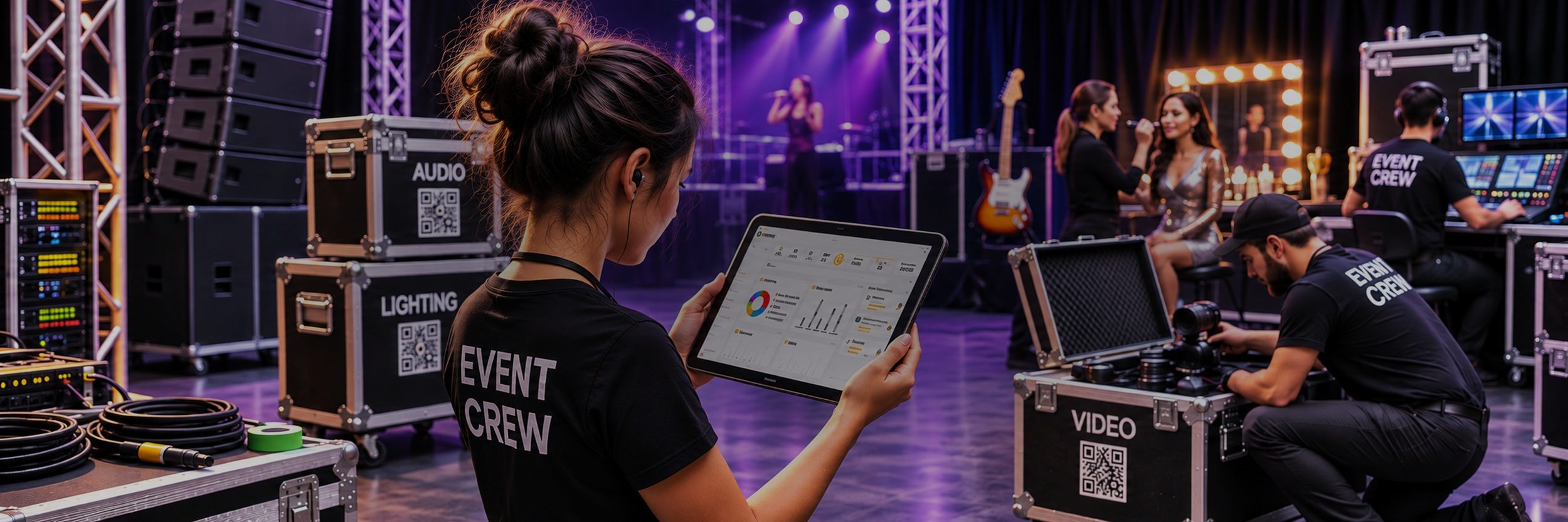
Event Inventory Management Software
Nest Egg is event inventory management software for AV, production, décor, and event companies. Track speakers, lighting, staging, furniture, and décor, each with photos, across your warehouse, trucks, and every venue. Scan gear out for an event, scan it back in, and know what’s missing or damaged before the next job.
- ✓ Photos and QR labels on every item
- ✓ Scan a road case to see what’s inside
- ✓ Gear out to clients and venues, with due dates
Start your 2-week free trial See plans and pricing
No charge during the trial · Browser-only free plan also available
10,000+
teams
142
countries
303
software releases
32
languages
Where event gear goes missing
Load-out is fast, venues are busy, and the gear list in the office is out of date by the time the truck is back.
Load-out losses
A box of mic cables stays behind at the venue, and nobody notices until the next show needs them.
Nobody knows what’s free
Is the second projector in the warehouse, on a truck, or still out with last week’s client?
Damage shows up late
A cracked fixture goes back on the shelf, and the problem surfaces at the next event.
From warehouse to venue and back
Nest Egg follows the loop your crew already runs and adds a record at every step.
1. Prep
Pull gear for the event and pack it into road cases and totes. Each case has a QR label and its own list.
2. Out
Check gear out to the client or venue with a due date, or transfer it to the venue’s location.
3. At the event
See what’s at each venue, and what’s still free in the warehouse for other jobs.
4. Back
Scan the case and return its gear in one go. Anything not back stands out, and damaged pieces are logged with a reason and tagged for repair.
Event Gear Tracking
Custom Labels
Print QR and barcode labels for gear, road cases, and totes, then scan them with any phone.
Scan Cases
Scan a road case or tote’s label to see everything packed inside it.
Check-Out
Check gear out to a client or venue with quantities, a due date, and notes.
Due Dates
Get an alert before gear is due back. You choose which users can lend.
Locations
Track the warehouse, every truck, and each venue by address, GPS, or warehouse zone.
Transfers
Move gear between the warehouse, trucks, and venues, with a record of every move.
Photos
Add up to 10 photos to each item, so the crew grabs the right piece at a glance.
Status Tags
Tag gear as Reserved, Out for repair, or Needs cleaning, and filter by tag.
Damage and Loss
Log damaged or lost gear with a reason, so losses show up in your records.
Consumables
Track gaffer tape, batteries, and lamps, and get alerts when stock runs low.
Serial Numbers
Keep serial numbers, manuals, and warranty PDFs with each piece of gear.
Reports
See what’s out and with whom, and run PDF reports by location or category.
Permissions
Control who can view, edit, or lend gear, with a full audit trail of every change.
Purchases
Record new gear and supplies with costs and receipts attached.
Scanners
Scan with any phone camera, or use a Bluetooth scanner at the loading dock.
Import
Bring your gear list in with CSV import, and export your data any time.
Built for event teams
Event inventory software for companies that own their gear and move it from show to show.
AV and production
Speakers, consoles, lighting, and cable, packed into cases and out on the road every week.
- Road cases and totes with their own QR labels
- Serial numbers and manuals with every unit
- Gear out to clients and venues, with due dates
- Damaged units tagged Out for repair
Weddings and décor
Linens, centerpieces, arches, and furniture, with photos so the crew packs exactly the right pieces.
- Photos on every item and variation
- Totes labeled and scanned at load-out
- Losses and breakage logged with a reason
- Low-stock alerts for consumables
Corporate events and venues
Staging, signage, booths, and furniture shared across events, sites, and storage units.
- Locations for every warehouse, truck, and venue
- Transfers between sites, with a record of every move
- Reports of what’s out and where
- Everyone on one inventory, on web and mobile
Road cases and check-out
Pack gear into cases and totes, label them, and know exactly what went out and what came back.
Every case is a location
Set up each road case, tote, or rack as its own location inside the warehouse, a truck, or a venue, and give it a QR label.
Scan to see what’s inside
Scan the case label with any phone to see every item packed in it, with photos, so nothing gets left behind at load-out.
Out to the client, back on time
Check gear out to a client or venue with a due date and notes, such as the agreed rate or delivery details, and get an alert before it’s due back. Gear you sub-rent from others is tracked as borrowed, with its own due date.
Ready for the next show
Once gear is returned, tag it Needs cleaning or Out for repair, log any damage with a reason, and filter by tag to see what’s ready to go out again.
What event teams track
If you own it and it goes to shows, you can label it, scan it, and track it.
Audio gear
Lighting
Staging
Furniture
Décor and linens
Signage
Cables
Tents and structures
Nest Egg vs. spreadsheets and rental platforms
Rental platforms handle quotes, bookings, and invoices. If you mainly need to know what gear you own, where it is, and whether it came back, Nest Egg is simpler and works alongside them.
| Nest Egg | Spreadsheet | Rental platform | |
|---|---|---|---|
| Scan barcodes and QR codes with a phone | ✓ | No | Varies |
| Scan a road case to see what’s inside | ✓ | No | Varies |
| Gear out to clients and venues, with due dates | ✓ | Typed by hand | ✓ |
| Photos on every item | ✓ | Awkward | Varies |
| Quotes, bookings, and rental invoices | No | No | ✓ |
| Free plan, no setup project | ✓ | ✓ | Rarely |
Getting started
Add your gear
Import a spreadsheet, or add gear with photos. Only a name is required.
Label and organize
Print QR labels and give every item a shelf, case, or tote.
Scan out, scan in
Scan gear out for each event and back in afterward.
Why Nest Egg
iOS, Android, web
Synced across every device.
Works with your booking system
Keep your rental software. Move data with CSV.
See it, scan it
Photos on every item, scanning with any phone.
Fast support
Real people, often within an hour.
What customers say
In their own words, from App Store reviews of Nest Egg.
★★★★★
“Wow! The customer service for this app is amazing.”
Jrichter5781 · App Store review
★★★★★
“I switched from another app to this one and boy, what a difference it made.”
MindyParis · App Store review
Event inventory FAQs


Try Nest Egg free
Know what’s in every road case before the next load-out. Label your first case today.


 (510) 270 5798


