
Lab Inventory Spreadsheet: Free Excel Template
 November 6, 2026
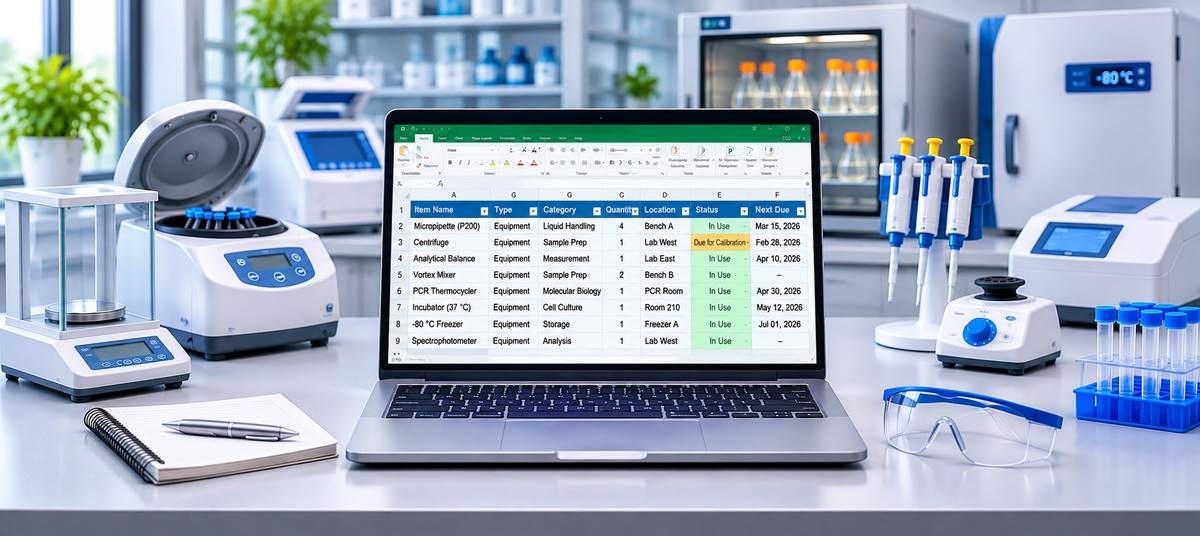
Most labs start tracking inventory in a spreadsheet, and for a small lab that’s a sensible place to begin. The trick is setting it up so it stays useful: the right columns, a location for everything, and a way to see what’s running low or about to expire. This free lab inventory spreadsheet is an Excel template with two ready-made sheets, one for supplies and reagents and one for equipment, with example rows, drop-down lists, and highlights that flag problems for you.
Download the Excel template (.xlsx) Supplies CSV Equipment CSV
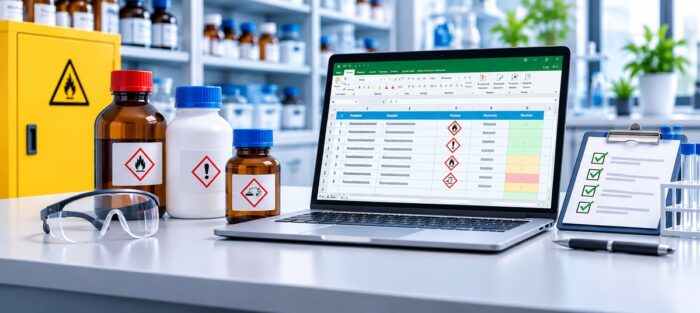
The CSV files open in Google Sheets, Numbers, or any spreadsheet app. If you keep chemicals that need safety data sheets, use our chemical inventory template for those instead; it adds CAS numbers, GHS hazards, and storage groups.
What a lab inventory spreadsheet should track
A lab holds two very different kinds of stock, and they need different columns:
- Supplies are things you use up and reorder: pipette tips, tubes, gloves, buffers, enzymes, antibodies, and kits. For these you care about quantity, the minimum you want on hand, and, for reagents, lot numbers and expiry dates.
- Equipment is what you keep: pipettes, centrifuges, balances, and meters. For these you care about serial numbers, who has them, and when they’re due for calibration or service.
Mixing both on one sheet leads to half-empty columns and missed details, so the template keeps them on separate sheets.
Supplies sheet: the columns
| Column | What to enter |
|---|---|
| Name | A clear, specific name, e.g. “Pipette tips, 200 µL, filtered”, so two people don’t create two rows for the same item. |
| Category | Consumables, reagents, enzymes, kits, antibodies, PPE, and so on. Filter by it when you place an order. |
| Supplier and Catalog Number | Makes reordering a copy-and-paste job. |
| Location | From the building down, e.g. Biology Building › Room 214 › −20 °C Freezer 1 › Rack A › Box 3. |
| Unit and Quantity | Count in the unit you order: racks, boxes, bottles, or kits. |
| Ideal Quantity | The minimum you want on hand. The template flags anything below it. |
| Unit Cost | Useful for budgets and grant reporting. |
| Lot Number and Expiration Date | For reagents and kits, so you can use older stock first and trace a bad lot. |
| Date Received and Responsible Person | When it arrived, and who to ask about it. |
Equipment sheet: the columns
| Column | What to enter |
|---|---|
| Name, Asset ID | A plain name and your own ID number, which you can print on a label. |
| Manufacturer, Model, Serial Number | Needed for service calls, warranty claims, and audits. |
| Location and Status | Where it normally lives, and whether it’s available, in use, checked out, reserved, out for repair, or awaiting calibration. |
| Checked Out To and Due Back | Who has it and when it should come back. Overdue returns turn red. |
| Last Calibrated and Next Calibration Due | Next calibration turns yellow 30 days ahead and red when overdue. |
| Purchase Date and Purchase Cost | For asset lists, insurance, and replacement planning. |
| Manual / Service Link | Where to find the manual or the service record. |
How to set up your lab inventory spreadsheet
- Delete the example rows on both sheets. They show typical entries, such as tips, gloves, buffers, an enzyme, a kit, pipettes, and a centrifuge.
- Map your storage first. List your rooms, freezers, cabinets, racks, and boxes, and write every location the same way, from the building down.
- Add one row per item per location. If you keep gloves in two rooms, give each room its own row, so each count stays right.
- Set ideal quantities for the supplies you can’t run out of. Quantity turns bold red when it drops below.
- Record lots and expiry dates on arrival. Rows turn yellow when a reagent expires within 90 days and red once it has expired.
- Use the Status column for shared equipment. Change it when an instrument is checked out, reserved, or sent for repair, and fill in who has it and when it’s due back.
- Pick one person per area to keep each part of the sheet current.
Tips for keeping it accurate
Count on a schedule
Spreadsheets drift because updates get skipped. A short weekly check of the items you reorder most, and a full count once or twice a year, keeps the numbers honest.
Update when stock moves, not later
Record deliveries when you unpack them and usage when you take the last box. Updating “at the end of the week” is how a lab ends up with a sheet that says there are five boxes of tips when the shelf is empty.
Label shelves and boxes
Printed labels with the location name, matching what’s in the spreadsheet, make it obvious where things belong. Freezer boxes in particular are much easier to find when the label matches the sheet. For more, see our guide to using QR codes for inventory.
Reorder from a filter
Filter the Supplies sheet to rows where Quantity is below Ideal Quantity, then sort by Supplier. That’s your order list.
When a spreadsheet stops working
A spreadsheet works while one or two people maintain it. It gets harder when the whole lab takes things from the same shelves, when someone has to stand at a computer to update it, and when nobody notices a reagent expiring until the experiment needs it. That’s when labs usually move to lab inventory management software.
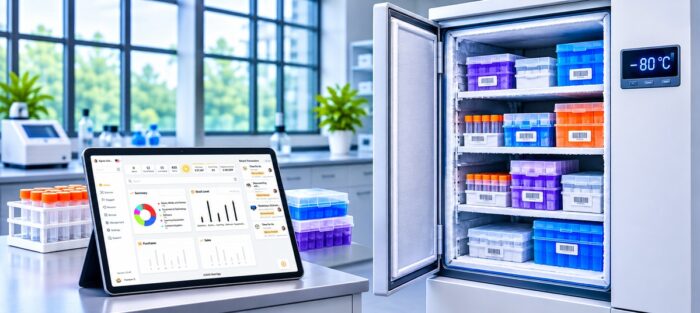
Nest Egg Cloud keeps the same information, without the drift:
- Scan instead of typing. Scan barcodes, or QR labels on boxes and freezer doors, with any iPhone or Android phone to see what’s inside and record what you use.
- Alerts before reagents expire, as many days ahead as you choose, and when supplies drop below the quantity you want on hand.
- Lot numbers and expiry dates recorded with each delivery, so every bottle traces back to its order.
- Equipment check-out with due dates and an alert before items are due back, plus tags such as Reserved or Out for repair.
- Calibration dates in custom fields you can sort and filter to see what’s due.
- Everyone on one inventory, on the web and in the iPhone, iPad, and Android apps, with a history of every change.
To move over, save a sheet as CSV and import the item details into Nest Egg, mapping each column once to a Nest Egg field such as name or quantity, or to a custom field such as next calibration due. Lot numbers and expiry dates aren’t imported: Nest Egg records them on each transaction as stock is received or used, so every delivery carries its own from then on. There is a free plan to start, and paid plans with a 2-week free trial. See how Nest Egg works for labs.
Lab inventory spreadsheet FAQs
Is the lab inventory spreadsheet free?
Yes. Download the Excel template or the CSV files and use them as you like. No sign-up is needed.
Can I use it in Google Sheets?
Yes. Upload the Excel file to Google Drive and open it in Google Sheets to keep the drop-down lists and highlights, or open the CSV files for a plain version.
Should I track chemicals in the same spreadsheet?
You can, but chemicals usually need extra columns for safety: CAS number, GHS hazards, storage group, and the safety data sheet. Our chemical inventory template includes them.
How do I track who borrowed a piece of equipment?
On the Equipment sheet, set Status to “Checked out” and fill in Checked Out To and Due Back. The Due Back date turns red once it’s overdue. Clear both when the item comes back.
How often should a lab count its inventory?
Check fast-moving supplies weekly and do a full count once or twice a year. Update the sheet whenever stock arrives or runs out, so the counts in between stay close to reality.


 (510) 270 5798


